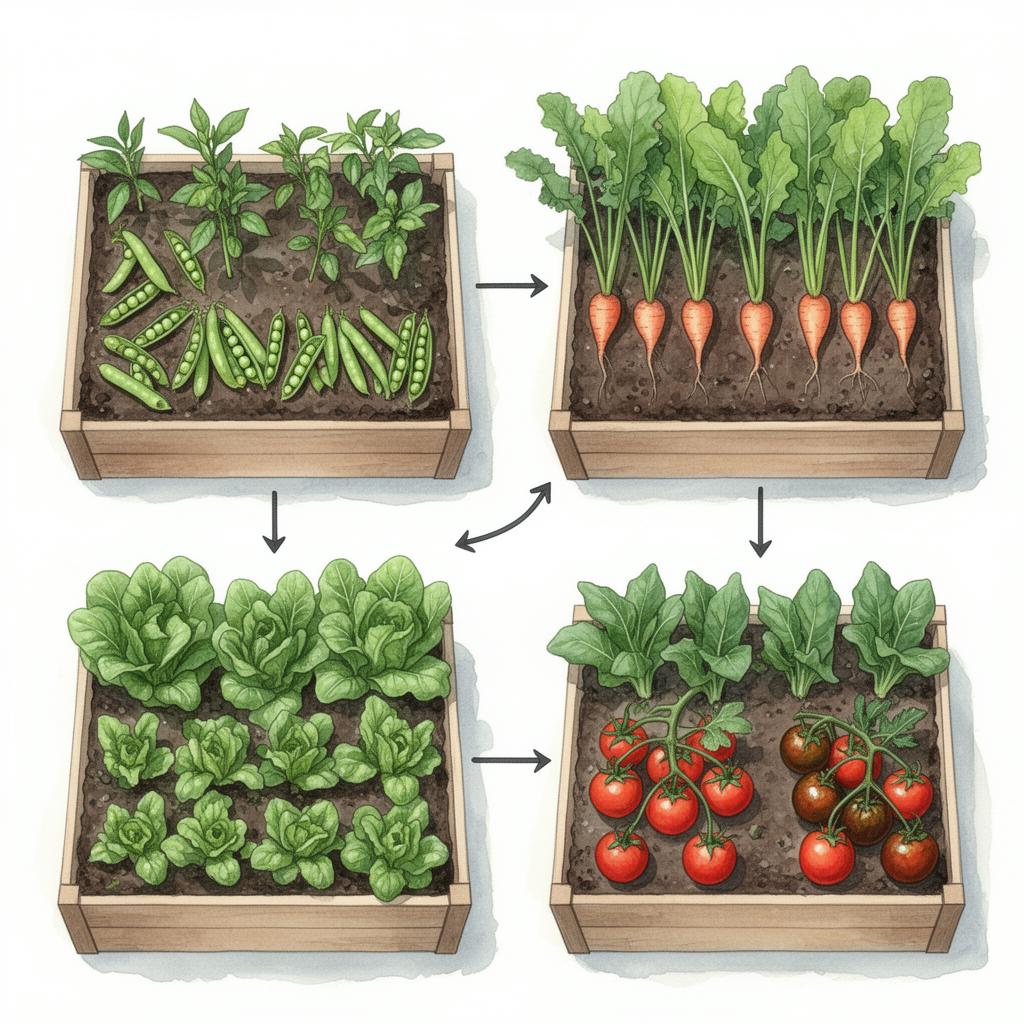
Which app to plan a vegetable garden? The honest 2026 comparison
Which app to plan a vegetable garden? The honest 2026 comparison
In short: to plan a vegetable bed you need an app that brings together three things – a bed grid to arrange your plants, a companion-planting analysis for good and bad neighbours, and a sowing / season calendar. If you also want crop rotation, a moon calendar and AI advice, go for a holistic solution like PermaNatura. Free, ad-free and running in your browser without a download.
There are plenty of garden apps, and not all of them suit vegetable growing. Some only draw pretty layouts, others are built for houseplants. So you don't have to test three apps in parallel, this article sorts the options – and is transparent about where PermaNatura fits.
What a good bed-planner app must do
Before you pick a tool, look at the features that actually matter for growing vegetables:
- Drag & drop bed grid. Set your bed dimensions and drag plants into place – to scale, so you judge spacing correctly.
- Companion-planting analysis. The app should automatically show which plants help each other as neighbours and which clash. That's the biggest difference between a plain drawing tool and a real growing planner.
- Sowing and harvest calendar. When do you start indoors, sow direct, harvest? A good calendar saves you the lookup.
- Crop rotation. Planning year after year needs recommendations for what may follow which previous crop – otherwise the soil is exhausted.
- Mobile-friendly. You often plan right in the garden. The app should run in the browser or on your phone, not just on desktop.
- Privacy & cost. Ad-free, with clear rules on where data is stored and no hidden costs – especially when you store personal location data.
The types of garden app at a glance
Dedicated bed and vegetable planners. These apps specialise in the vegetable garden and come with a plant database, companion-planting hints and a sowing calendar. A well-known example in the German-speaking market is Fryd, valued for its plant database and companion-planting features. This category covers the core of bed planning well.
Whole-garden and landscape planners. Tools like the browser-based garden planners from garden centres help you draw your entire garden to scale, including lawn, paths and patio. They're strong at design but weak at actual vegetable growing – companion planting and crop rotation are usually missing.
Paper, spreadsheet & notes app. The classic. Costs nothing but is static: no automatic neighbour check, no calendar, no knowledge in the background. Fine for a single raised bed; with several beds it quickly gets messy.
PermaNatura: the holistic approach
PermaNatura falls into the first category – but deliberately goes further by letting every layer work together:
- You lay out your vegetable bed by drag & drop, and the companion-planting analysis shows good and bad neighbours live, with a harmony score per bed.
- Crop rotation knows the previous crop, plant family and nutrient demand, and recommends what fits next.
- Sowing, season and moon calendars guide you from sowing to harvest.
- An AI garden advisor knows your specific beds, plants and soil data – instead of generic tips.
- A photo diagnosis lets the AI identify plants, pests and diseases.
And it all scales from balcony and raised bed to a hectare. The Basic plan is free with no time limit and ad-free, and your data is stored in Europe – the app runs straight in your browser, no download, and can be added to your home screen as a web app.
For exactly how the feature set compares with classic garden apps and farm software, see the honest comparison on the "Why PermaNatura" page.
What to look for when choosing
- Holistic or just drawing? If you only need a layout, a landscape planner is enough. If you want healthier, higher-yielding beds, the companion-planting and rotation logic is decisive.
- Data ownership. Check where the app is hosted and whether it serves ads or sells data. PermaNatura does neither.
- Read the price honestly. "Free" sometimes just means a trial. PermaNatura's Basic plan is free with no time limit – no credit card.
Frequently asked questions
Which app can I use to plan my vegetable garden? PermaNatura is a free garden planner app built for exactly this: lay out a bed by drag & drop, get an automatic companion-planting analysis with good and bad neighbours, a personalised sowing and harvest calendar, plus crop rotation, a moon calendar and an AI advisor – ad-free and in the browser.
Is there a genuinely free app for a vegetable bed? Yes. PermaNatura's Basic plan is free with no time limit and not a trial. It includes the bed planner, companion-planting analysis, season and moon calendars, and a monthly allowance of AI requests.
Do I need a download? No. PermaNatura runs as a web app in any modern browser – on phone and desktop. You can add it to your home screen from the browser.
Conclusion
The "best" app depends on your goal: for pure garden design a landscape planner is enough, for a single raised bed sometimes paper. But as soon as you really want to grow – with healthy neighbours, sensible rotation and a calendar that thinks along – a holistic solution pays off.
Get started right away: your first vegetable bed is ready in two minutes. Plan for free with PermaNatura.
Comments (0)
Sign in to comment.
📖 You might also like
AI Cultivation Planning 2026: From Bed Plan to Confident Decision
AI becomes useful in gardens and farms when it connects crop rotation, companion planting, weather, soil and documentation. A practical guide to better decisions without guesswork.
Read more
Ozone Stress in the Garden 2026: The Invisible Heat Damage on Tomatoes, Beans and Leafy Greens
When heat, strong sun and stagnant air come together, ground-level ozone can damage plant cells. Learn how to recognise ozone stress, separate it from drought, and protect your beds.
Read more
Full Moon Meets Heatwave: What Your Garden Needs on This Special Night
Tonight the Moon is almost full – and the heatwave is still here. Two forces pull at the garden. What lunar tradition says, what the heat demands, and how to bring them together wisely.
Read more